Shift photo Date Taken
You shot the same moment on a phone with the correct clock and a professional camera whose date was hours off. Date Taken Shifter moves photo Date Taken by a fixed amount. Match clocks fills that amount from those two photos: Right date is the phone shot, Wrong date is the pro-camera shot. Press Use this shift to load amount and unit - it does not write tags yet. Keep the phone photo off the Rename List so GO only fixes the pro-camera files. JPEG uses EXIF Date Taken; PNG uses PNG Date Taken. Need Title / Keywords / Copyright instead? See Set photo tags from names and folders.
In the app
-
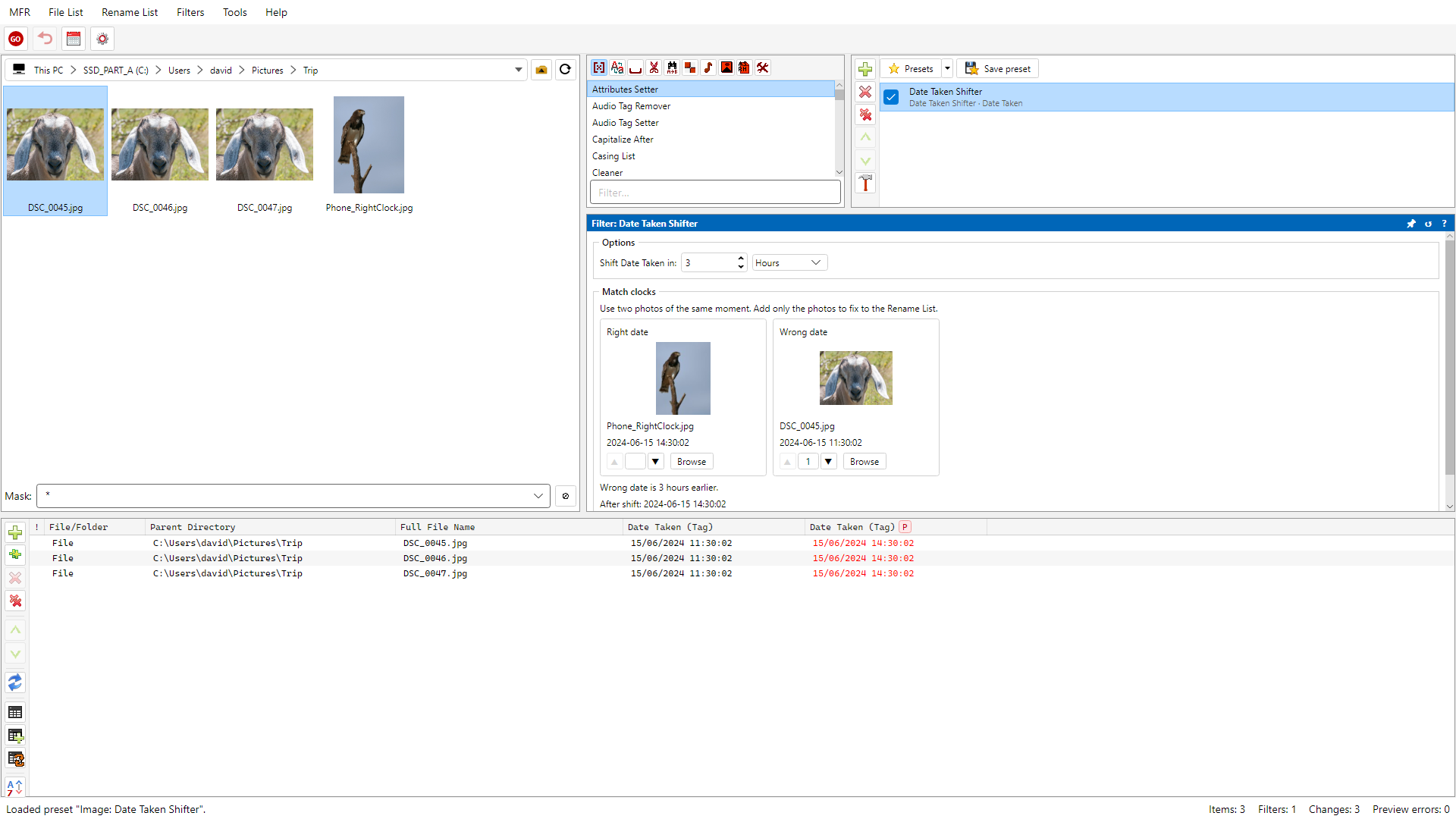
Screenshot: Date Taken Shifter Match clocks with two photos and live Date Taken preview
How to do it
- Add the pro-camera photos to fix in the File List (keep the phone reference shot off the Rename List).
- Add Date Taken Shifter. Under Match clocks, set Right date to the phone photo and Wrong date to a pro-camera photo of the same moment, then Use this shift.
- Review the Rename List: check Date Taken tag columns (before/after), then GO.
- Optional: save the chain as a preset when you often apply the same shift (or re-run Match clocks for the next wrong batch).
Related Help
FAQ
- What is Match clocks?
- Match clocks uses two photos of the same moment - for example a phone with the correct clock and a pro camera with the wrong one - to fill Date Taken Shifter amount and unit. Use this shift only fills those fields - it does not write tags until GO.
- Should the phone (right-date) photo be on the Rename List?
- No. Keep the correct-clock phone photo off the list so GO does not shift it. Browse can pick it for Match clocks even when it is not in the batch.
- Which formats can Date Taken Shifter fix?
- JPEG (EXIF Date Taken) and PNG (PNG Date Taken). Photos with no Date Taken to shift show a preview error. GIF is skipped; TIFF, HEIC, and WebP show a preview error.
- Is this the same as File Time Shifter?
- No. File Time Shifter changes file creation / last write / last access. Date Taken Shifter changes the photo Date Taken tag. See Help for Date Taken Shifter.