Rename photos from EXIF
Camera dumps named IMG_0001.jpg are hard to browse. Magic File Renamer renames from EXIF (date, make/model, and more) and can add a nearby place via GeoNames reverse geocoding when GPS is in the file. Image/EXIF data is read-only — MFR does not write EXIF. GeoNames needs a network connection (and a username in Options when you leave the built-in default). Formats include JPEG, TIFF, PNG, GIF, HEIF/HEIC, and related rasters MFR reads.
How to do it
- Add pictures in the File List (folders, recursive scan, or Explorer Rename with MFR 8).
- Build a Filter Chain with Formatter using EXIF tokens (for example date, make, model) and optional GeoNames tokens such as
<geo-place>. - Review the Rename List: flip before/after, fix predicted errors, then GO.
- Optional: save the chain as a preset for the next vacation folder.
In the app
-
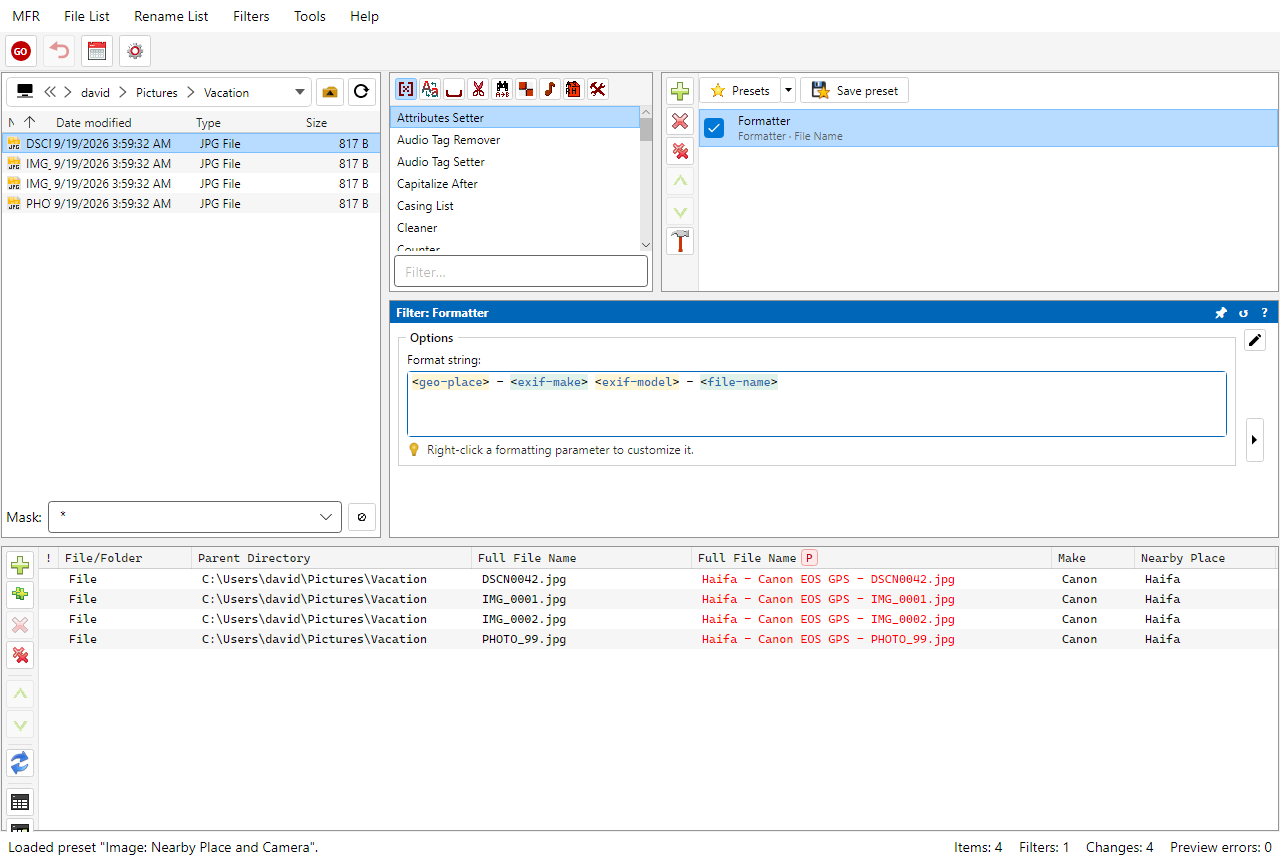
Screenshot: renaming pictures from nearby place and EXIF camera
Related Help
FAQ
- Can Magic File Renamer rename photos from EXIF?
- Yes. Formatter tokens read image properties and EXIF (date, camera make/model, and more) for naming. Preview proposed names before GO.
- Does MFR write or edit EXIF tags?
- No. Image properties and EXIF are read-only for renaming. Only audio tags have a write / Apply path in MFR 8.
- What is GeoNames used for?
- When a photo has GPS in EXIF, GeoNames reverse-geocodes nearby country, region, and place names for tokens like <geo-place>. That lookup needs network access.
- Which image formats are supported?
- JPEG, TIFF, PNG, GIF, HEIF/HEIC, and related formats MFR reads for image/EXIF tokens. See Help for the full list.
Download MFR 8 free (Windows 10 or later, 64-bit · FREE beta) · Features · Compare · All use cases