Rename MP3 / FLAC from tags
Need consistent file names from tags already on the tracks? Magic File Renamer builds a Filter Chain with Formatter (and other rename filters) using <audio-*> tokens — track, artist, album, title, and more. The Rename List live-previews proposed names before you press GO. Works with MP3, FLAC, Ogg, M4A, WMA, WAV, APE, and related formats MFR reads.
How to do it
- Add tracks in the File List (folders, recursive scan, or Explorer Rename with MFR 8).
- Add a Formatter (or other rename) step with audio tokens such as track, artist, album, and title to shape file names from tags.
- Review the Rename List: flip before/after, fix predicted errors, then GO.
- Optional: save the chain as a preset and re-run later in the UI or with mfrc.
In the app
-
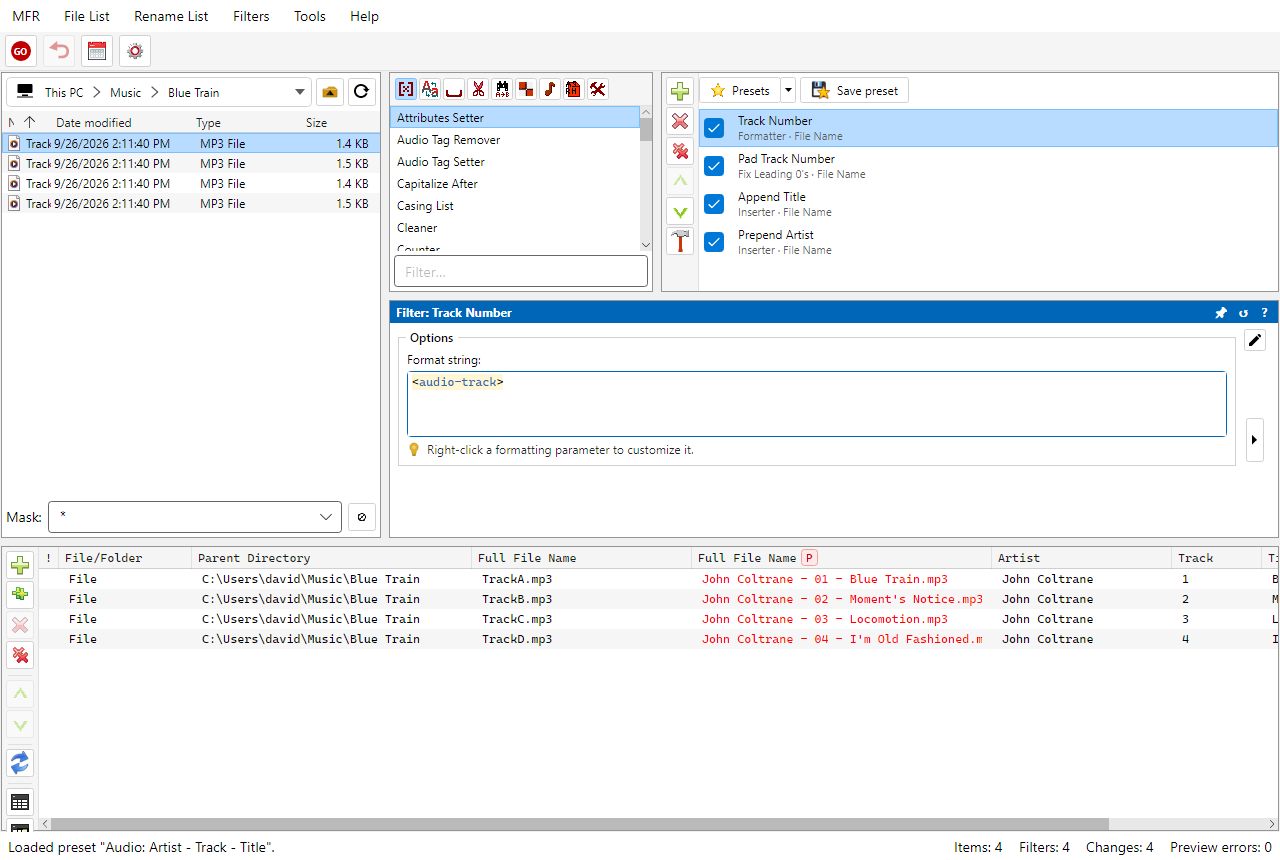
Screenshot: renaming MP3 files from ID3 tags
Related Help
FAQ
- Can Magic File Renamer rename MP3 files from ID3 tags?
- Yes. Formatter and other rename filters use audio tokens from tags (track, artist, album, title, and more). Preview proposed names before GO.
- Which audio formats can MFR read tags from for renaming?
- MP3 (ID3v1/ID3v2), Ogg Vorbis / Opus, FLAC, APE, M4A/MP4 (Apple), WMA/ASF, and WAV (RIFF INFO), among formats MFR supports for tag read.
- What if I need to write tags instead of rename?
- Use the Set audio tags from file names use case — Audio Tag Setter / ID3v2 Field Setter write tags with tag-column preview. Most libraries are fixed as rename-or-retag jobs, not both at once.
- Is this available on macOS?
- Magic File Renamer 8 ships for Windows today (Windows 10 or later, 64-bit). Cross-platform support is planned.
Download MFR 8 free (Windows 10 or later, 64-bit · FREE beta) · Features · Compare · All use cases