Rename documents from Info
Scanned PDFs and downloads often keep useless names while the real title lives in document Info. Magic File Renamer renames with Formatter tokens such as <pdf-title> / <pdf-author>, EPUB Dublin Core, and Office PackageProperties (<office-*>). Document Info is read-only — MFR does not rewrite PDF Info, EPUB metadata, or Office core props. Office Open XML covers .docx / .xlsx / .pptx only (not legacy .doc or macro-enabled templates).
How to do it
- Add PDF, EPUB, or Office files in the File List.
- Build a Filter Chain with Formatter using document Info tokens (for example
<pdf-author> - <pdf-title>, or the EPUB / Office equivalents). - Review the Rename List: check proposed names and predicted errors, then GO.
- Optional: save the chain as a preset for the next inbox folder.
In the app
-
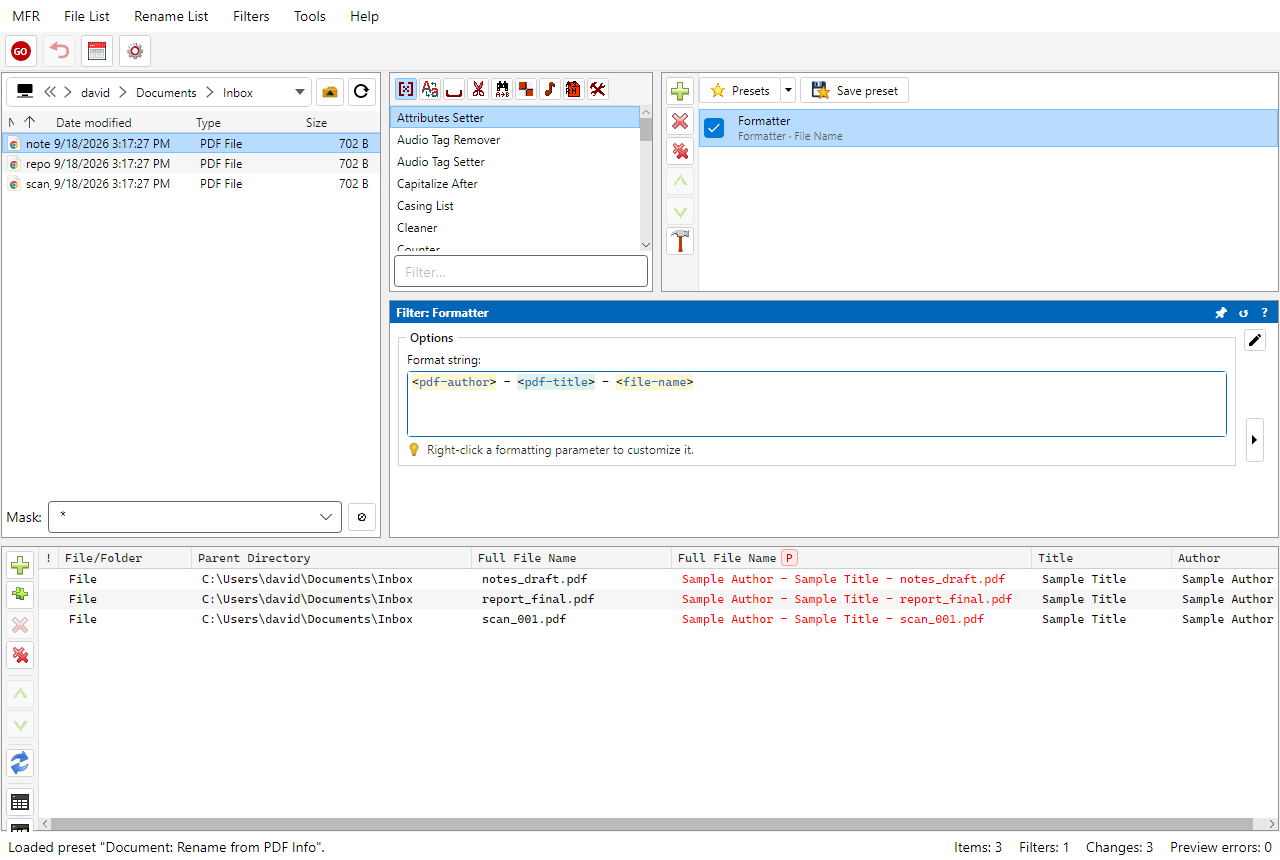
Screenshot: renaming PDF files from document Info title and author
Related Help
FAQ
- Can Magic File Renamer rename PDFs from the title in Info?
- Yes. PDF Info tokens such as <pdf-title> and <pdf-author> feed Formatter patterns. Preview proposed names before GO. Info is read-only — MFR does not write the PDF Info dictionary.
- Which Office formats work?
- Office Open XML only: .docx, .xlsx, and .pptx (case-insensitive). Legacy .doc/.xls/.ppt and macro-enabled templates are not supported for Office Info tokens.
- Does MFR edit document metadata?
- No. PDF Info, EPUB Dublin Core, and Office PackageProperties are read-only for renaming. Audio tag write is a separate capability.
- What about EPUB?
- EPUB Dublin Core fields are available as formatter tokens for naming, same read-only model as PDF and Office Info.
Download MFR 8 free (Windows 10 or later, 64-bit · FREE beta) · Features · Compare · All use cases