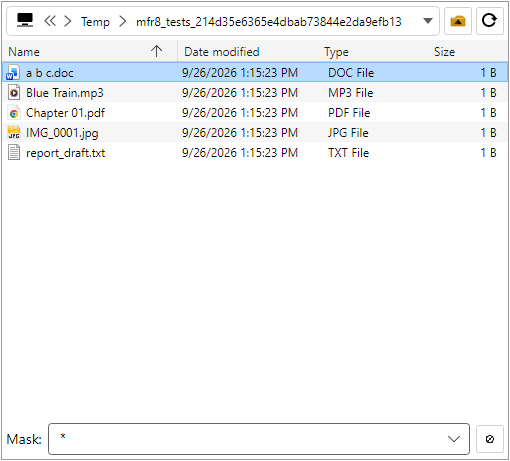
The File List (left pane) is an Explorer-style browser for choosing files and folders to
add to the Rename List.
Navigate with the path combo, back / forward / up / refresh. Shortcuts:
Ctrl+L or Alt+D (go to folder),
Backspace (up when the listing has focus),
F5 (refresh).
View modes: Large Icons, Small Icons, Report (default), List, Tiles, Thumbnails —
File List → File List type or Ctrl+1 …
Ctrl+6. Thumbnails support zoom and size presets on the File List menu.
Only file-system items are shown (no Control Panel–style virtual folders).
Mask (wildcard) limits which files appear and which files are included when adding.
The Exclude masks dialog skips matching names when adding.
Drag from the File List onto the Rename List, into Filter Configuration fields that accept
drops, or to other apps such as Explorer.
Cut / Copy / Paste, Delete (Recycle Bin) / Shift+Delete, and Properties
(Alt+Enter) work when the listing has focus.
Options can remember the last folder, include hidden/system
files, and choose whether double-click opens or adds to the Rename List.