Magic File Renamer Help
Tutorial
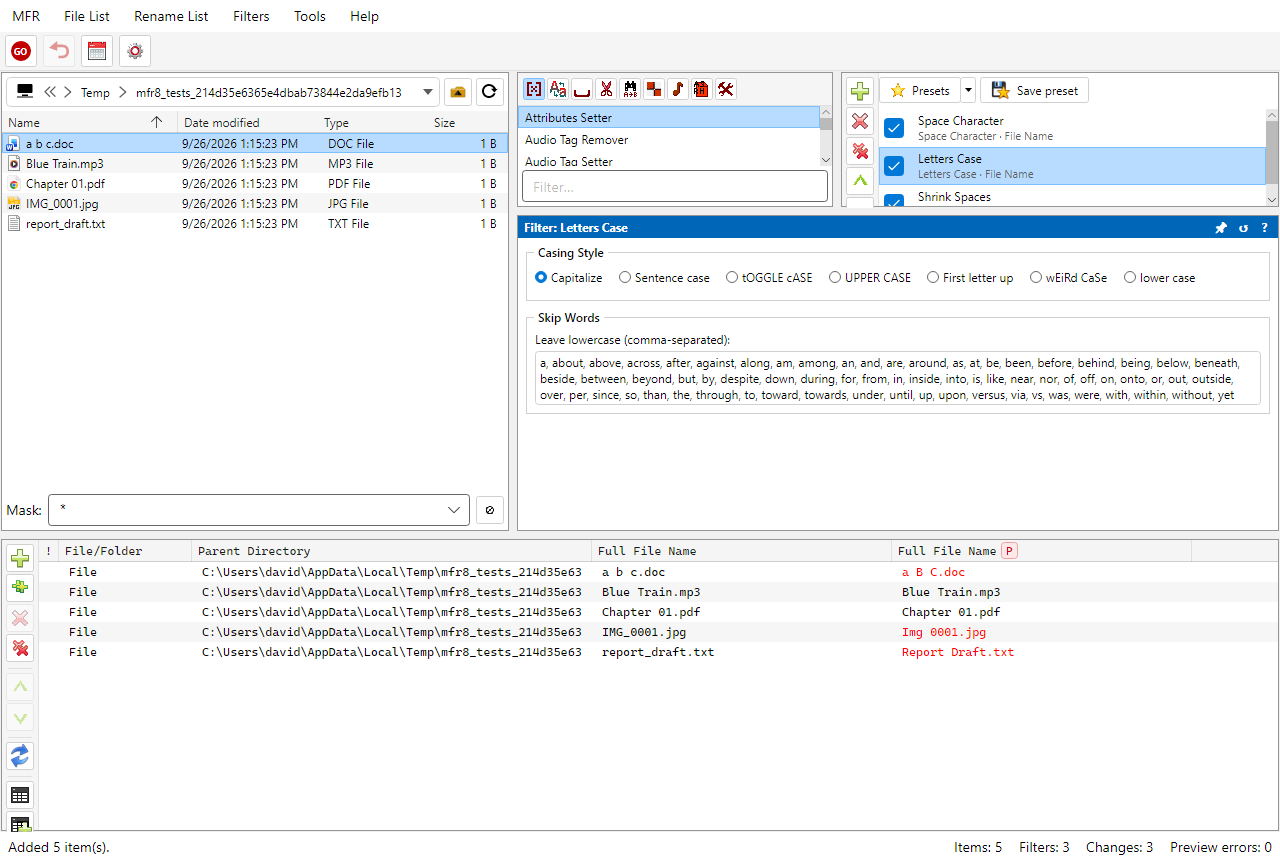
Add filters from Available Filters into the Filter Chain, then edit options in Filter
Configuration.
2. Choose filters
-
In Available Filters, pick a group or All, then
double-click a filter (or Filters → Add selected filter) to append
it to the Filter Chain.
-
Select the chain step. Edit its options in
Filter Configuration. Use
Filter Options to set the Apply To target (name, tags, dates,
and more).
-
Click ? on Filter Configuration for that filter’s Help topic, or browse
Filters.