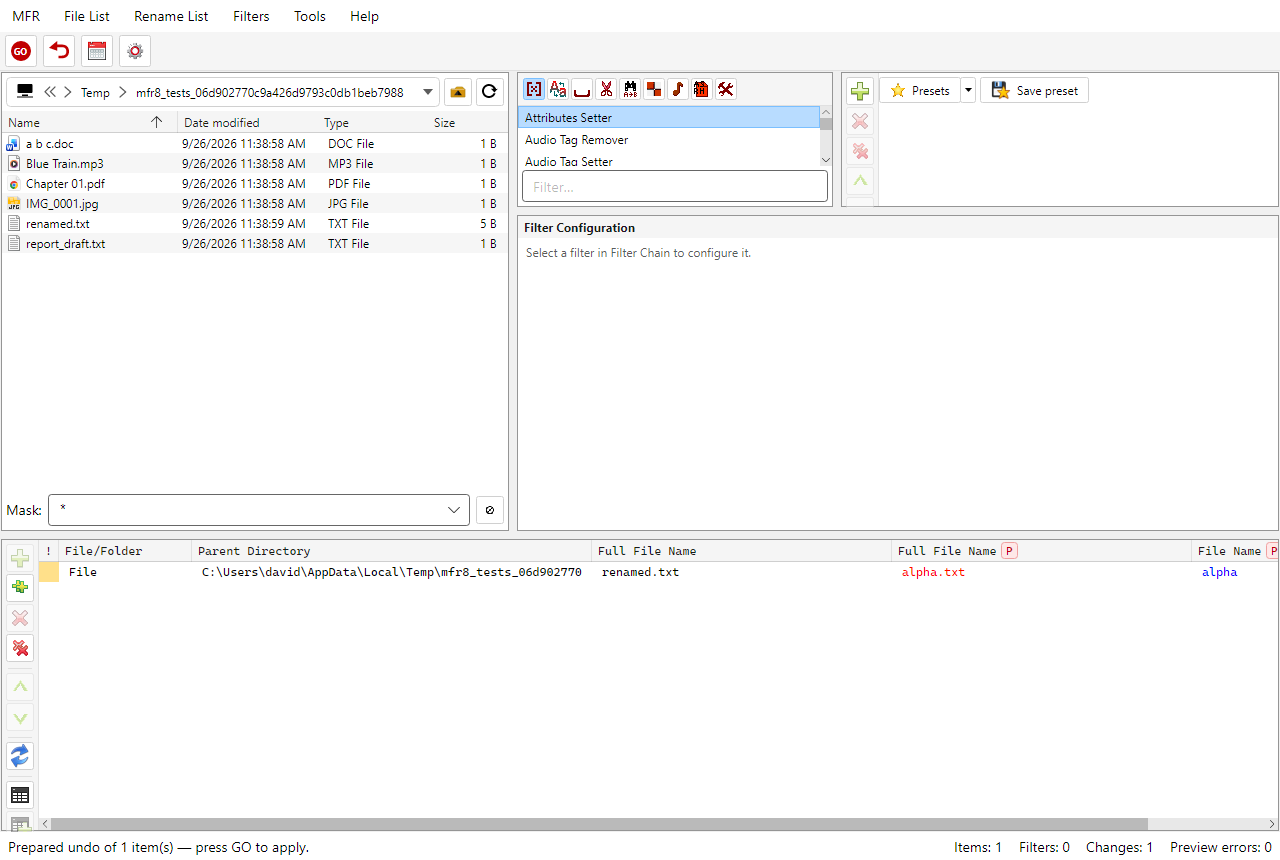
After Undo Last: reverse preview ready; press GO to write the undo.
Undo Last prepares a reverse session from the last GO. Disk
files are not changed until you press GO again.
Choose MFR → Undo last or press Ctrl+Z
when a last operation is available.
The Rename List is filled with the reverse (pre-GO) values from the log, and the Filter Chain is
cleared. Review the preview, then GO to write the undo.
Names, paths (moves), attributes, dates, and audio tags recorded in the operation can be
reversed this way. Items must still be at the logged locations.
For older operations, open the Rename Log and use Undo there (same
prepare path).
Last-operation undo remains available even when Rename Log retention is disabled in
Options.